




GridWrite supports the same AI-assisted content workflow when you create or edit blog posts.
Blog post editor #
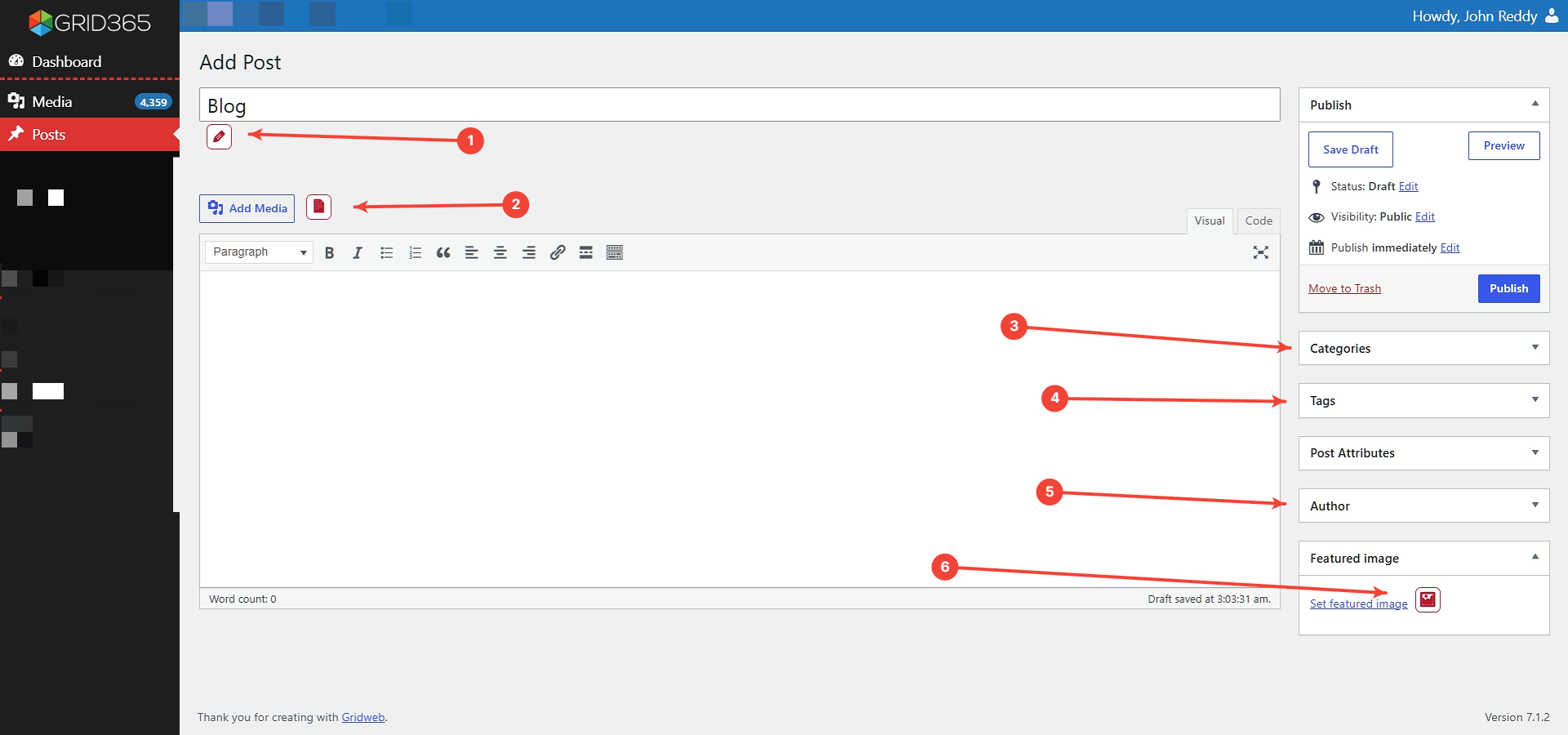
1. Post title #
Enter the title manually or use the GridWrite AI action beside the title field.
2. Post content #
Write the article content manually or use GridWrite AI in the supported content field.
3. Categories #
Choose the category that best matches the post.
4. Tags #
Add relevant tags when they are useful for organizing your content.
5. Author #
Confirm the correct author for the post.
6. Featured image #
Choose an existing featured image or use GridWrite AI to generate one.
Save or publish #
Save the post as a draft while you are working, preview it when ready, and publish only after reviewing the title, content, categories, tags, author, and featured image.


