




Your GridWeb plan and AI usage dashboard provides a quick view of the account and the AI resources available to your website.
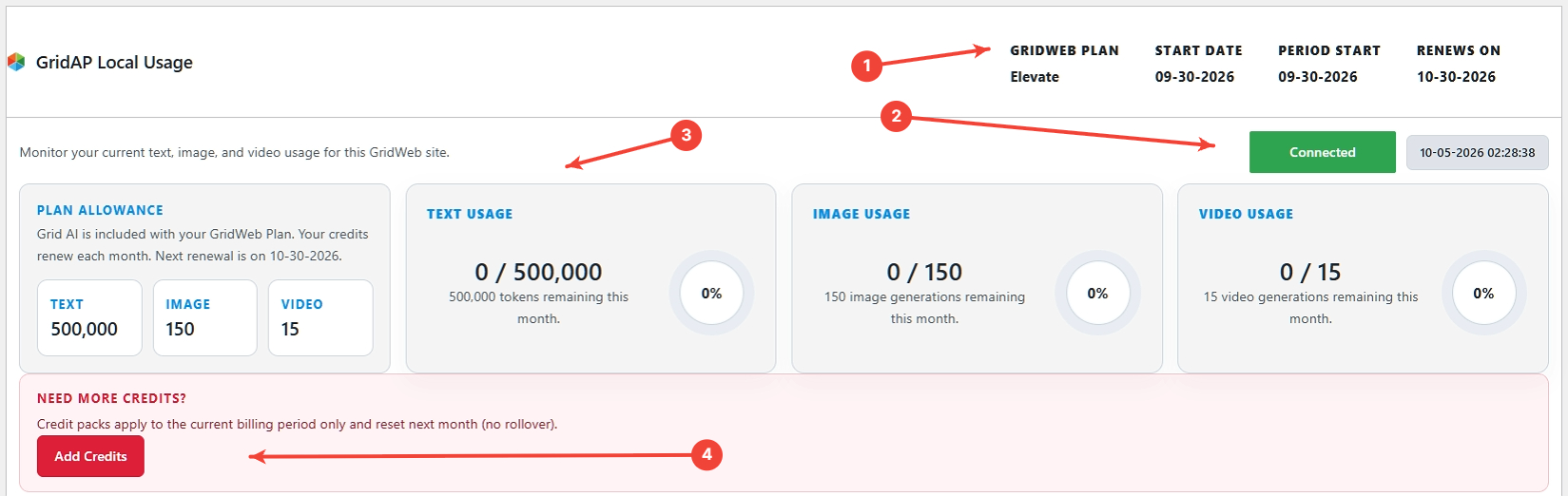
1. Plan and billing period #
Review the active GridWeb plan and the current billing period.
2. Connection and status #
Confirm the website and connected Grid365 services show the expected status.
3. Monthly AI allowances #
Review the available Text, Image, and Video allowances and the amount already used during the current billing period.
4. Add Credits #
When additional credits are available for your account, use Add Credits if you need more capacity before the next renewal period.
Tip #
Check usage before starting a large batch of image or video generations so you know what is available for the current period.


