




GridWrite provides a visual editing workspace for creating and updating website pages.
Open a page #
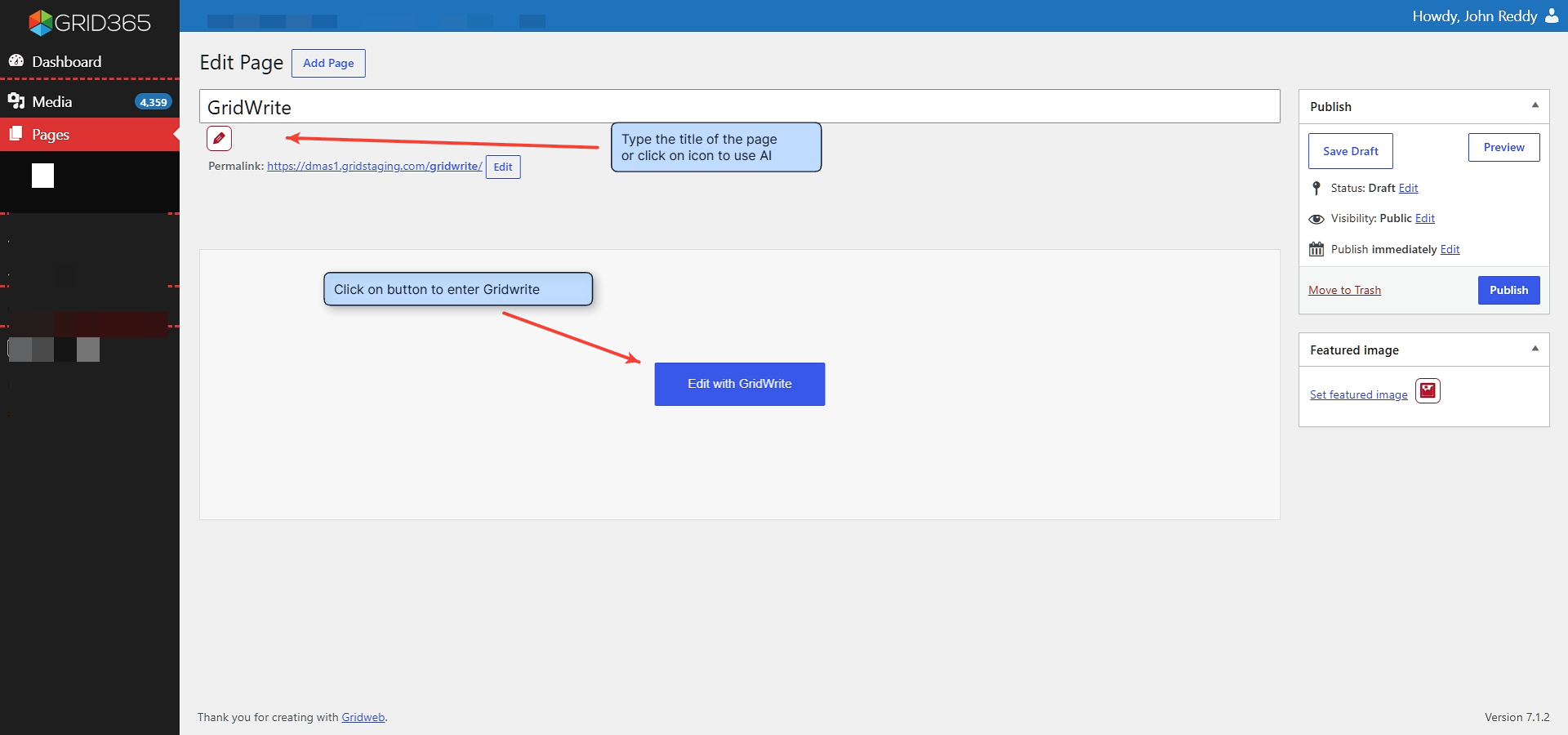
1. Open Pages #
From your GridWeb dashboard, open the page you want to work on or create a new page.
2. Add the page title #
Enter the page title before opening the visual editor.
3. Open GridWrite #
Select Edit with GridWrite to open the visual page editor.
Edit the page #
Use the GridWrite widget panel and page canvas to add, remove, rearrange, and update content.
Review before publishing #
Use the responsive viewport controls to review desktop, tablet, and mobile layouts. Preview the page before publishing or updating it.
Tip #
Make one section or content change at a time when working on an existing page. This makes it easier to review the result and use History when you need to step backward.


