




You can generate AI video directly from the GridWrite Media Library.
Generate a video #
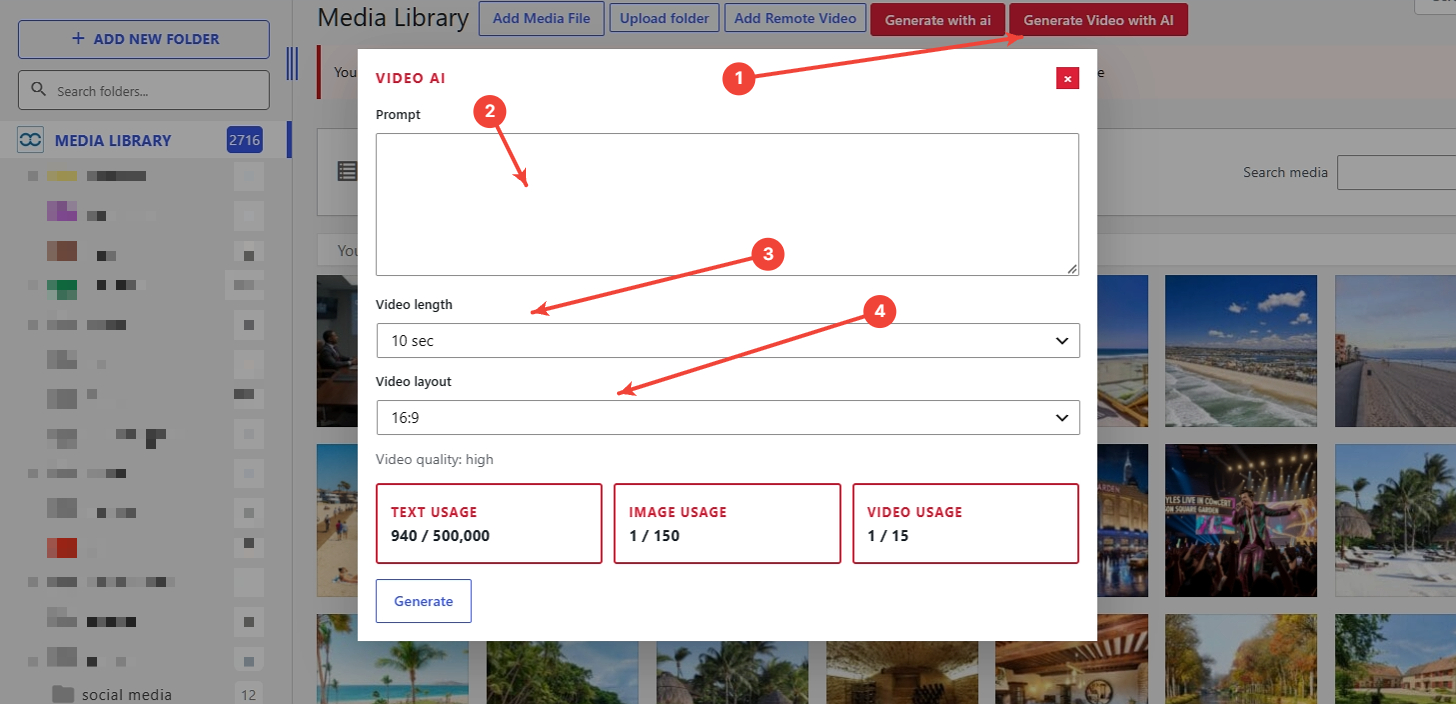
1. Select Generate Video with AI #
Open the Media Library and choose Generate Video with AI.
2. Enter your prompt #
Describe the video you want to create.
3. Choose the video length #
Select the available length that best fits the intended use.
4. Choose the video layout #
Select the appropriate aspect ratio or layout.
5. Generate #
Start the generation.
What happens next #
Video generation may take several minutes. When it is complete, the video is added to the Media Library and becomes available for supported video fields.


