




GridWrite AI can generate multiple structured items inside supported repeater-based widgets.
Generate items #
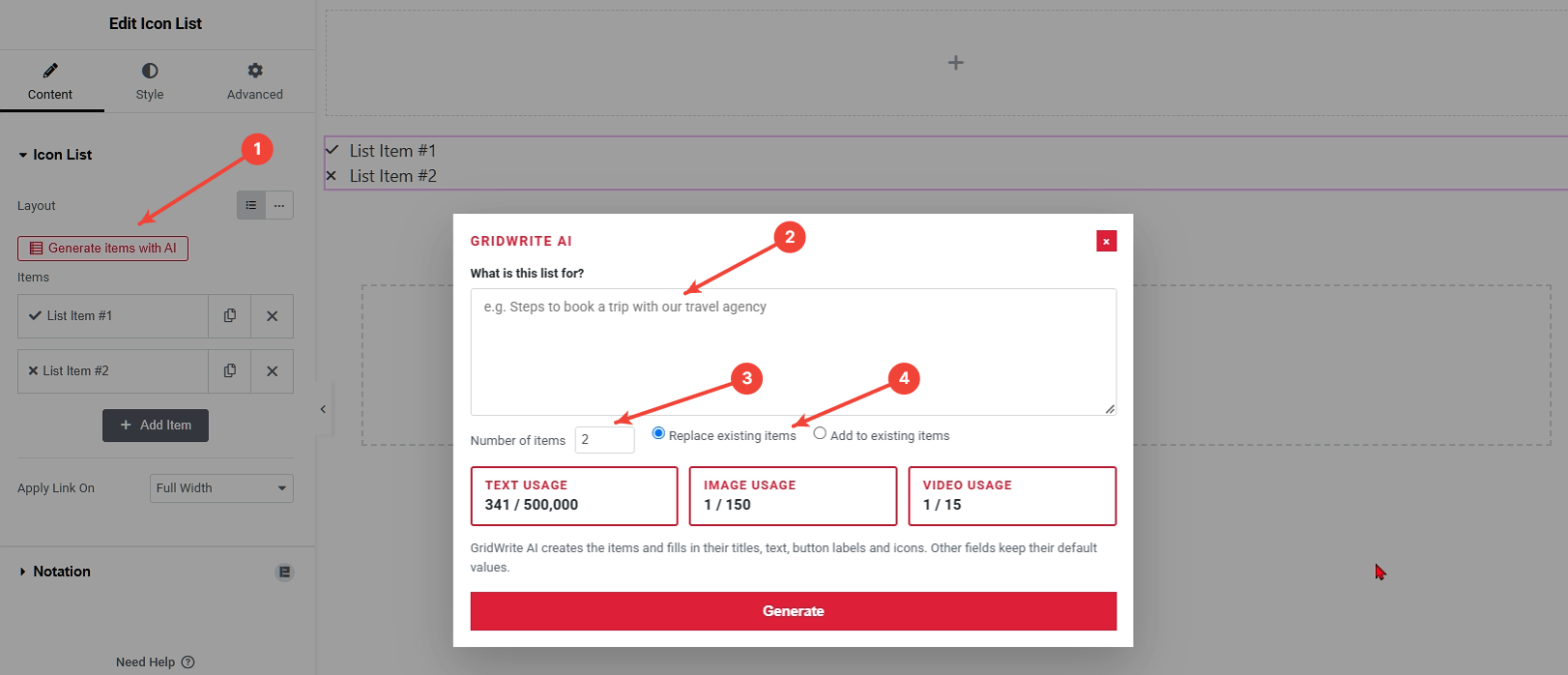
1. Open Generate Items with AI #
Use the AI action for the repeater or multi-item control.
2. Describe the list #
Tell GridWrite AI what the items should contain and how they should be written.
3. Choose the number of items #
Select how many items you want to generate.
4. Choose how to apply them #
Choose whether the generated items should Replace existing items or Add to existing items.
5. Generate #
Run the generation.
What happens next #
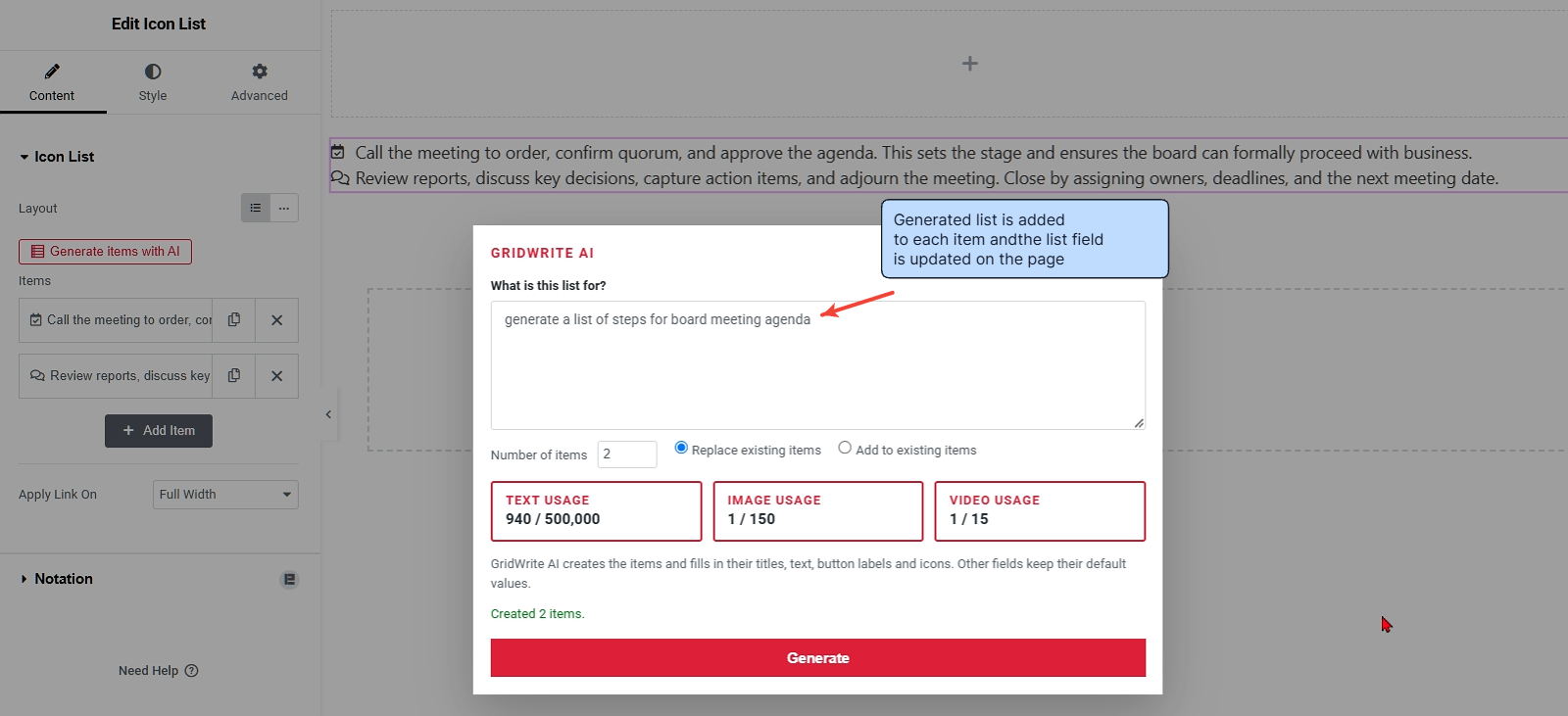
GridWrite AI fills the supported repeater rows directly. Depending on the widget, an item can include combinations of titles, text, button labels, icons, images, and other supported controls.
Tip #
Describe the structure you want as clearly as the subject. For example, ask for five service cards with a short title, one-sentence description, and concise button label.


