




GridWrite AI can generate text directly inside supported text controls, so you can create content without leaving the editor.
Generate text #
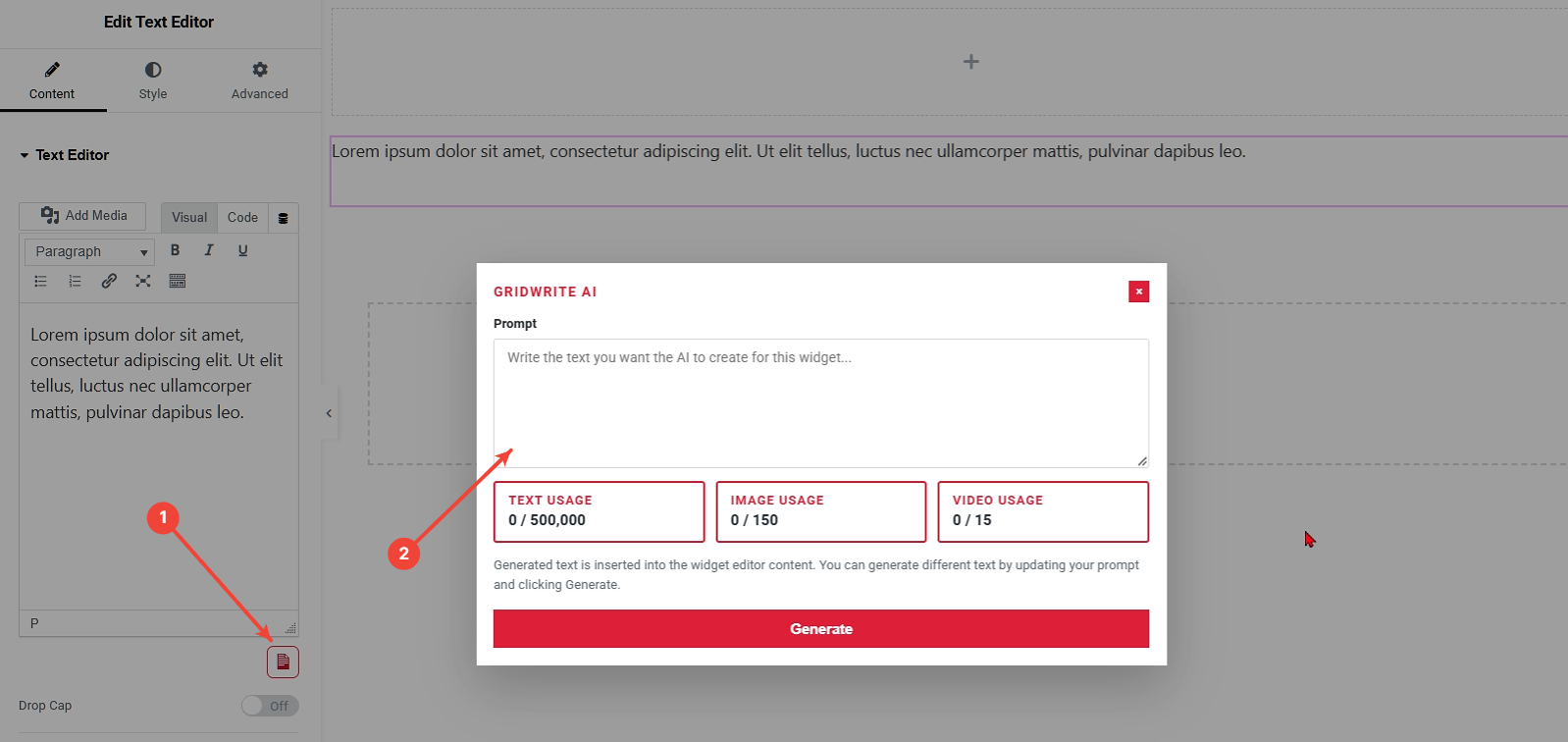
1. Open GridWrite AI #
Select the widget you want to edit and click the GridWrite AI icon beside the supported text field.
2. Enter your prompt #
Describe the text you want GridWrite AI to create. Include the subject, tone, purpose, and any important details that should appear in the result.
3. Generate #
Click Generate to create the text.
What happens next #
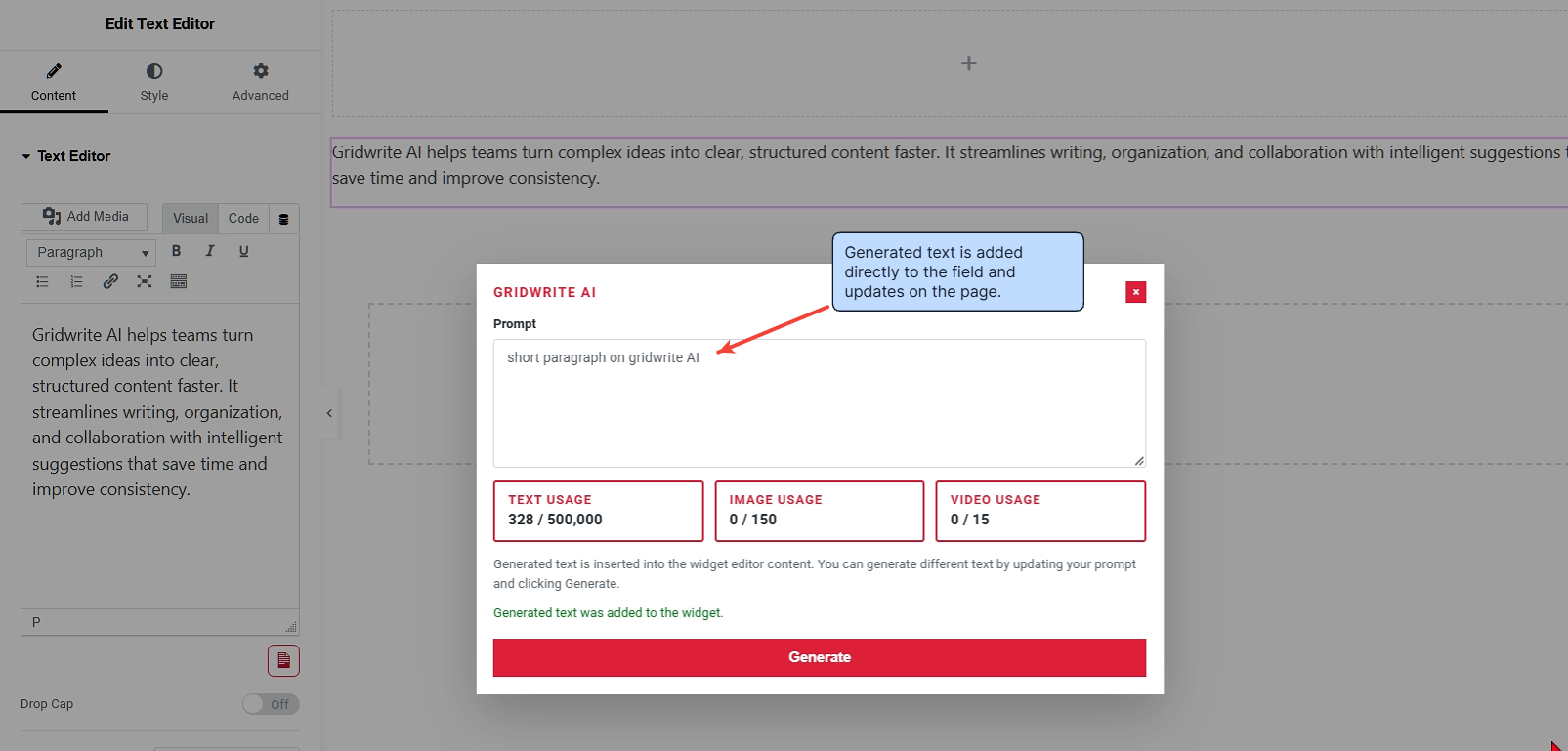
The generated text is added directly to the field and updates on the page.
Prompt example #
Instead of:
Write text about our service.
Try:
Write a concise two-paragraph introduction for a professional auction company. Emphasize experience, transparency, and a simple bidding process.
Tip #
You can revise your prompt and generate again when you want a different direction. More specific prompts usually produce more useful first results.


