




You can create AI images directly from the GridWrite Media Library without first opening a page or widget.
Generate an image #
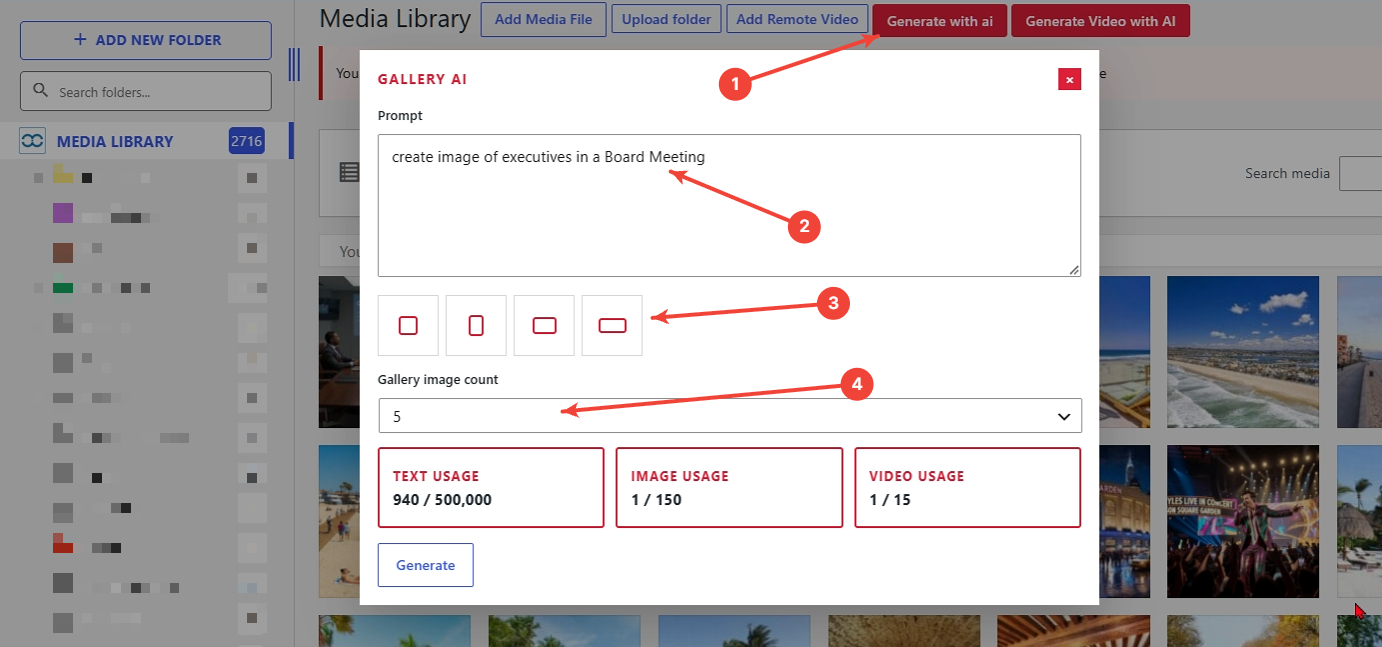
1. Select Generate with AI #
Open the Media Library and choose Generate with AI.
2. Enter your prompt #
Describe the image you want to create.
3. Choose the layout #
Select the image orientation or layout that fits your intended use.
4. Choose the gallery image count #
When the option is available, choose how many images you want GridWrite AI to create.
5. Generate #
Start the generation.
What happens next #
The generated images are added directly to the Media Library and are immediately available for supported image fields throughout GridWrite.


