




GridWrite AI can generate headings and titles directly inside supported controls.
Generate a heading #
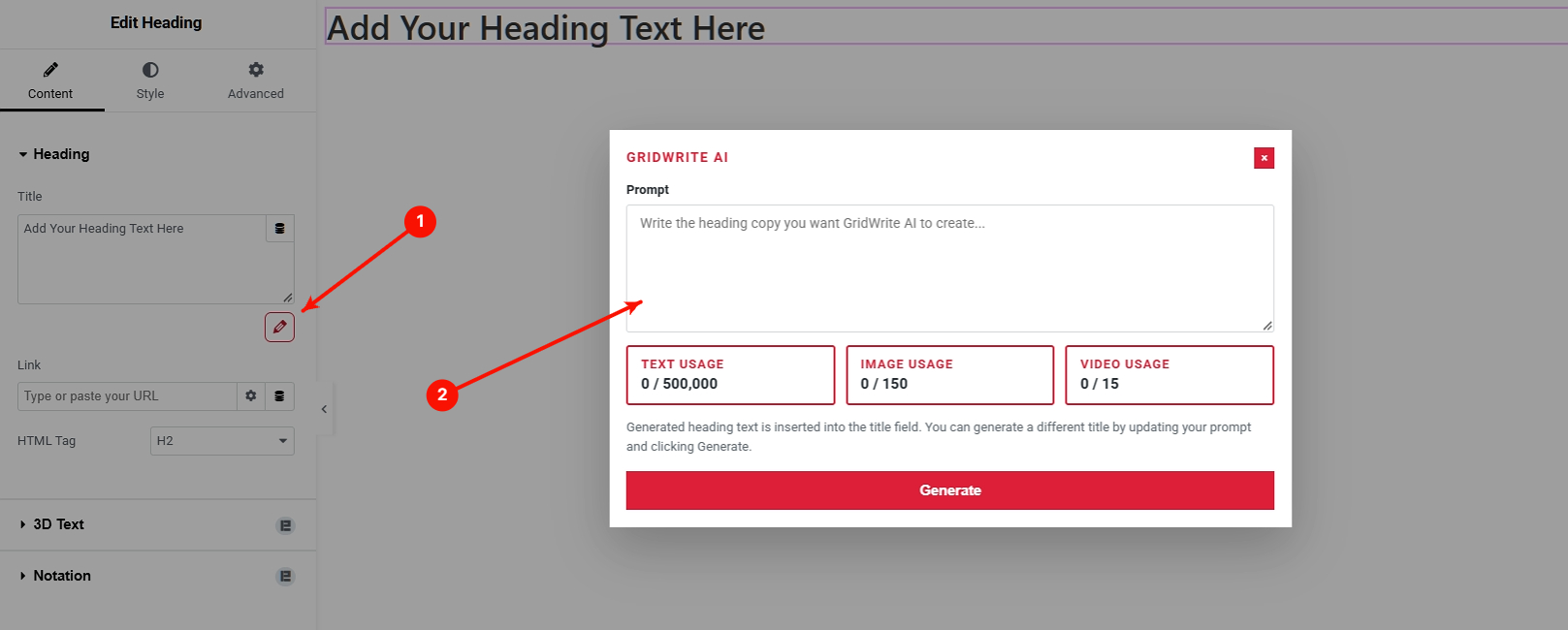
1. Open the AI action #
Click the GridWrite AI icon beside the heading or title field.
2. Enter your prompt #
Describe the heading you need. Include the subject, purpose, tone, or audience when useful.
3. Generate #
Run the generation and review the result.
What happens next #
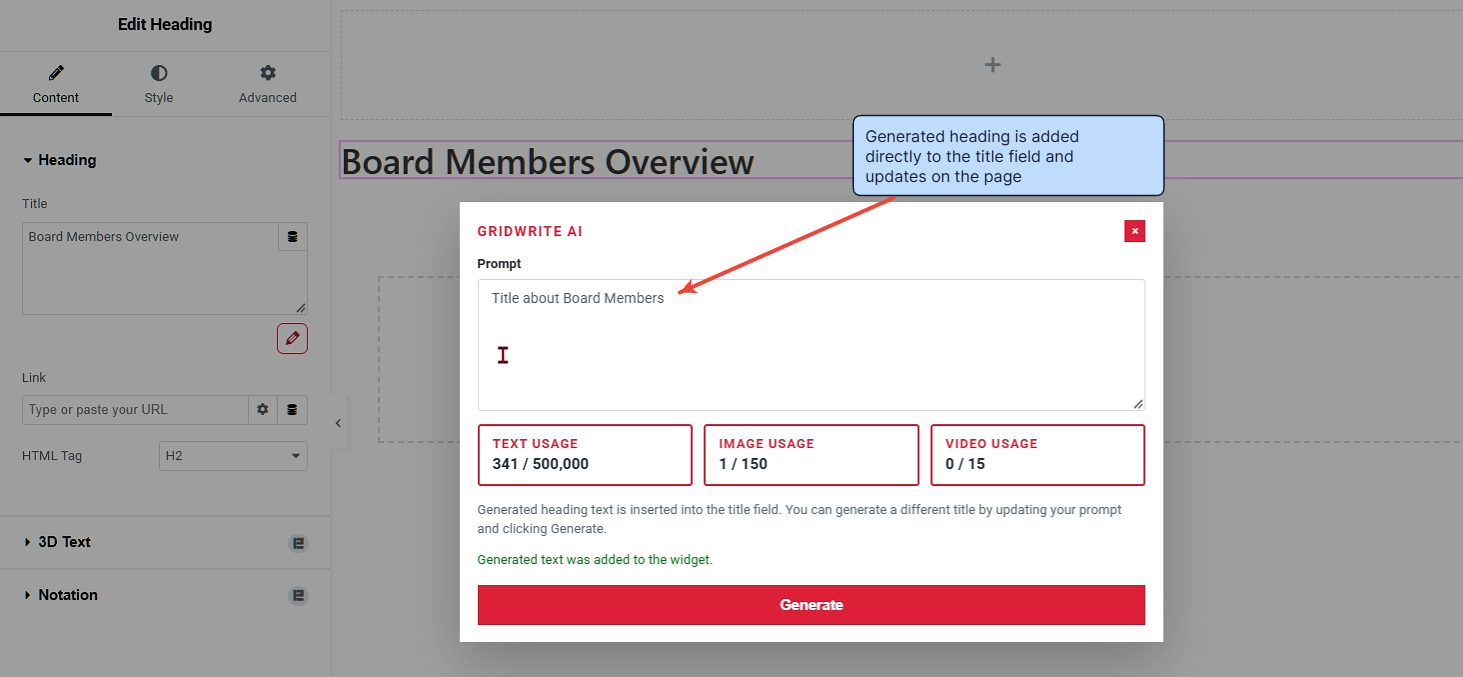
The generated heading is added directly to the field and updates on the page.
Tip #
For stronger results, describe the job of the heading rather than only the topic. For example, ask for a concise service-page headline, an event title, or a benefit-focused section heading.


