




GridWrite AI can generate video from supported video controls inside the editor.
Generate a video #
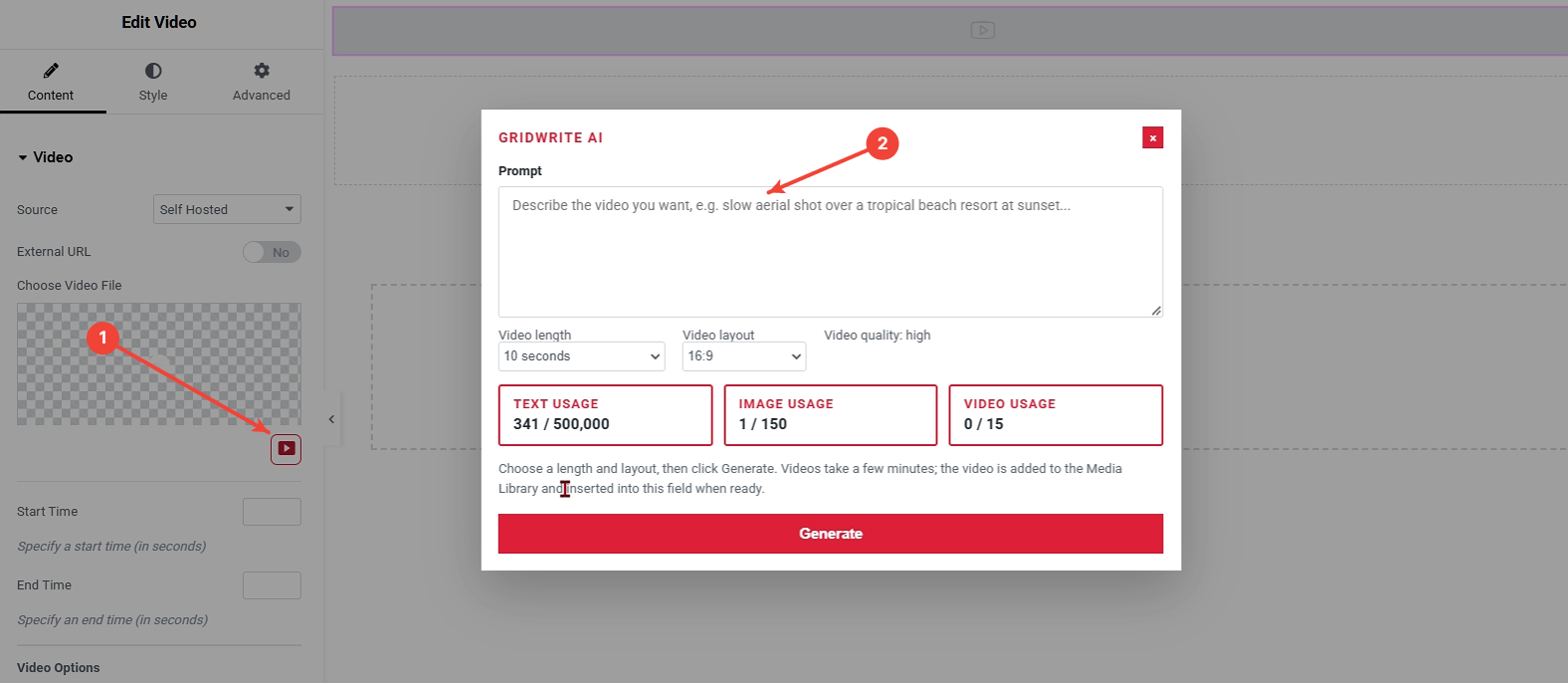
1. Open GridWrite AI #
Click the AI action beside the supported video field.
2. Enter your prompt #
Describe the subject, setting, motion, and visual direction you want.
3. Choose the video options #
Select the available video length, layout or aspect ratio, and quality options that fit the content area.
4. Generate #
Start the generation.
What happens next #
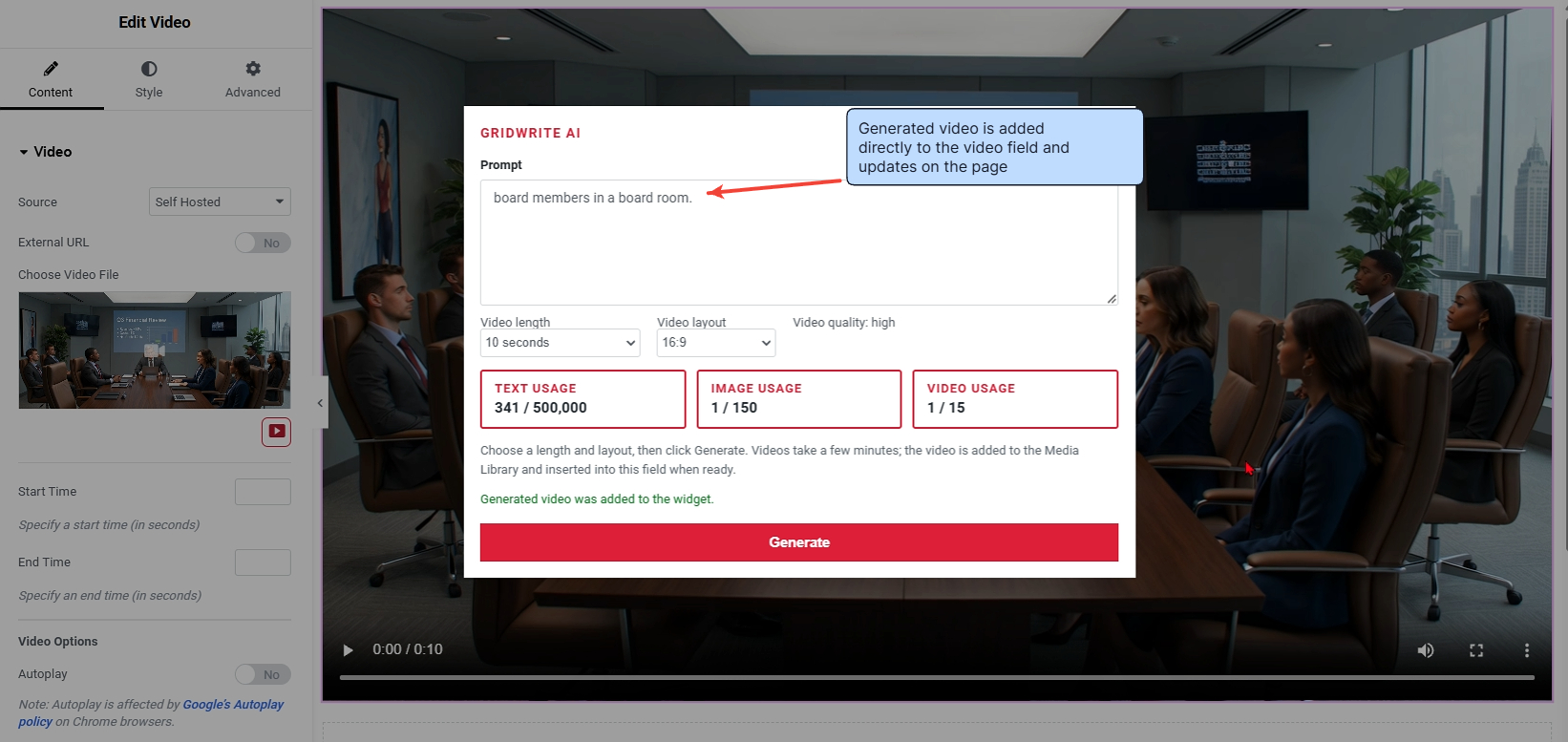
Video generation can take several minutes. When processing is complete, the generated video is added to the Media Library and can be inserted into the supported video field.
Tip #
Keep the prompt focused on one scene and one clear motion concept. This usually produces a cleaner result than combining several unrelated actions in the same prompt.


